Showing posts with label walkman. Show all posts
Showing posts with label walkman. Show all posts
Thursday, October 17, 2013
Cara Upgrade Sony Live With Walkman wti9i aka coconut Ke Jellybean JellyVanilla 3 0

Melanjutkan postingan sebelumnya Cara Upgrade Sony Live With Walkman wt19i ke Jelly Bean (cm10)
sekarang upgrade android akan share custom rom buatan anak bangsa, Rom Jellybean JellyVanilla 3.0a.
syaratnya sobat harus menginstal kernel cynogenmod 10 dahulu sebagai base kernel live with walkman sobat bila ingin menginstall rom JellyVanilla ini. berbeda dengan cm 10, rom ini sudah tinggal pakai saja, karena didalamnya sudah terdapat banyak fitur, aplikasi dan widget yang keren habis, dan lagi-lagi syaratnya live with walkman sobat harus sudah ulock bootloader, ok langsung saja ke TKP ==>
Screenshoot :

.jpg)
.jpg)
.jpg)
.jpg)
.jpg)
.jpg)
.jpg)
.jpg)
.jpg)
.jpg)
.jpg)

Based on M66Bs Extended CM10
GAPPS integrated
Xperia S ICS Themed
Xperia S ICS Widgets
Xperia S ICS Apps
Xperia S ICS LiveWallpapers
Xperia S ICS Fonts
Xperia GX Home by serajr
Xperia V ICS Media apps
Xperia V WALKMAN + Visualizer
Xperia Tones
Xperia Keyboard
Xperia Bootanim
Special zWALKMAN Bootanim (LWW)
All extended CM10 features
Enhanced Project Butter
New Recent Apps layout
New Battery Led Colour
Statusbar Mods
Bravia Engine 2
AwesomeBEATS v3 Libs
build.prop Tweaks
and MANY mods & tweaks by me..
--BUGS--
DLNA force closes

JellyVanilla 3.0
Additional files

1. Flash CM10 (or CM10 based) kernel for your device (Mini, Mini Pro, LWW)
2. Enter CWM
3. Wipe data / factory reset (not so necessary if JellyVanilla is currently installed on your system)
4. Wipe cache & dalvik-cache
5. Flash JellyVanilla 3.0
6. Flash Additional Files too (optional but recommended!!)
7. Non-LWW users - flash yourdevice_dev_files.zip (see attachment)
8. No need to install GAPPS anymore !
10. Boot your phone and...... Done !!
Goo Android
Source : XDA FORUM

Sunday, October 13, 2013
cara install CWM clockworkmod recovery di live with walkman
langsung aja yah, device anda harus sudah di root

ReadMore..
download file ini ==> cwm recovery
tinggal baca petunjuk di dalam nya :D
Tuesday, September 17, 2013
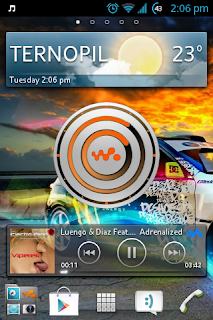
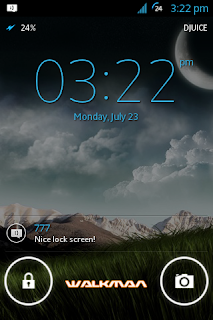
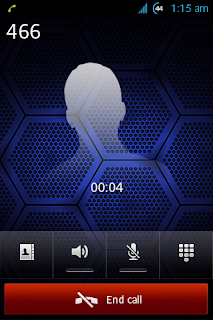
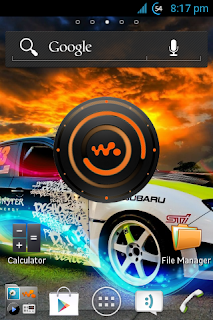
Custom Rom Real ICS 5 2 Live With Walkman Sony
lanjutan dari sini ==> Custom Rom Real ICS 5.1 Live With Walkman Base ICS 4.1.B.0.431
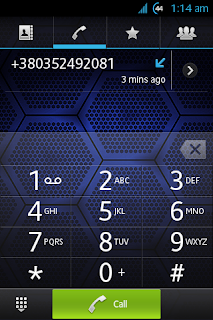
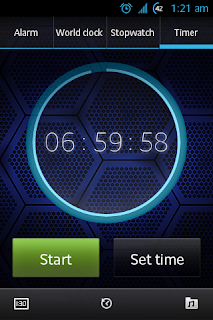
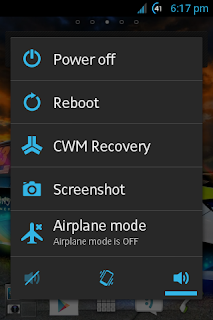
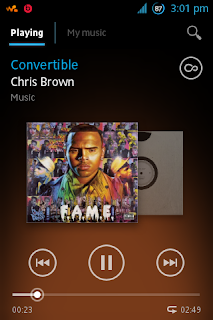



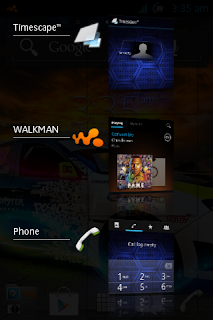
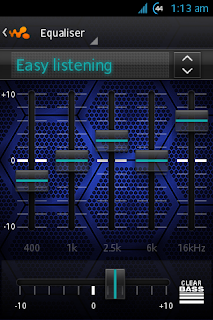
Update :
ReadMore..
Installation instructions
1. Copy the zip file to your SD card
2. Reboot your device in CWM
3. Choose install zip from sd card
4. Make a full data wipe-factory reset
5. Wipe cache and Dalvik cache
6. Wait for installation to finish, reboot and follow the sony setup wizard through the rest of the setup process
7. Reboot again and enjoy
Download Custom Rom Real ICS 5.2 Live With Walkman Base ICS 4.1.B.0.431
Mirror
Mods and fixed
Ringtone from music library fix
Flash fix
Kernel
KRsH Kernel ICS (recommended)
EXtended Stock Kernel
MESA Kernel
note
bagi yang masih belum unlock bootloader bisa pakai cara ini :
pada cwm (clockworkmod) recovery go to mount and storage and format cache, system and data.
masih di cwm pilih advanced lalu wipe dalvik cache.
lanjutkan pilih install zip from sd card, install Custom Rom Real ICS 5.2 Live With Walkman Base ICS 4.1.B.0.431, reboot, enjoy :D
sumber : xda develovers
screen shoot :
Update :
Custom Rom Real ICS R6 Live With Walkman Base ICS 4.1.B.0.431
Subscribe to:
Posts (Atom)